Loading Tools...
Optimizing your experience
Format and minify JSON code instantly online. Beautify JSON with proper indentation or compress it for production use.
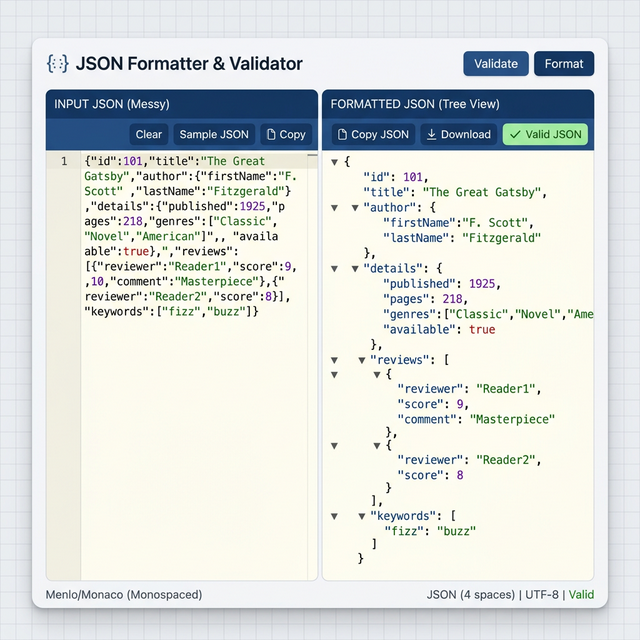
JSON Formatter Tool Image
The JSON Formatter Tool is an essential utility for developers, data analysts, and anyone working with JSON (JavaScript Object Notation) data. It helps you instantly format and organize your JSON code, making it easier to read, debug, and maintain. Whether you're working with APIs, configuration files, or data structures, clean and well-formatted JSON is crucial for both development and production environments.
JSON formatting is the process of organizing JSON data with proper indentation, line breaks, and spacing. This makes the code more readable and easier to understand, especially when working with complex nested structures or collaborating with others. Minification, on the other hand, removes all unnecessary whitespace to reduce file size for production use.
Features: The JSON Formatter Tool offers a simple interface where you can paste your JSON code, choose between formatting or minifying, and instantly receive a processed version. It validates JSON syntax, provides clear error messages for invalid input, and includes a one-click copy-to-clipboard feature for easy integration into your projects.
Use Cases: This tool is perfect for developers formatting API responses, data analysts organizing JSON datasets, and anyone who needs to clean up or compress JSON files. Use it when debugging, before sharing code, when preparing data for production, or whenever you need to ensure your JSON is properly structured.
Benefits: Formatting your JSON can lead to faster development, fewer bugs, and easier collaboration. Clean code is easier to maintain, update, and scale as your project grows. Minified JSON reduces file size, improving load times and bandwidth usage for production applications.
Best Practices: Always validate your JSON before formatting. Keep formatted versions for development and minified versions for production. Use the tool regularly as you work with JSON data, and ensure your JSON follows proper syntax standards for compatibility across different systems.
Tips: Combine the JSON Formatter with other tools like HTML Beautifier and CSS Minifier for a complete web optimization workflow. Use the validation feature to catch syntax errors early. When minifying, always keep a backup of the formatted version for future reference.
Conclusion: The JSON Formatter Tool is an invaluable resource for anyone working with JSON data. By making it easy to format and minify your JSON, this tool helps you maintain high-quality, professional code. Try it now and experience the benefits of clean, well-structured JSON!
Format and beautify your HTML code for better readability and maintainability.
Optimize your CSS files for better website performance and faster loading times.
Generate structured data markup for FAQ sections to improve search engine visibility.
Create XML sitemaps for your website to help search engines crawl and index your content.
Analyze your website's SEO performance and get recommendations for improvement.
Count words, characters, and analyze text content for writing and SEO purposes.