Image Converter Hub
Free online hub for professional image conversion. Convert between JPG, PNG, WebP, HEIC, AVIF, and create PDFs with batch processing.
Convert JPG images to PNG format with transparency support
- Batch conversion
- Files are never stored
- Free, no sign-up
How to convert images in 4 steps
Our free online Image Converter gets the job done in seconds, with no software to install.
- Step 1
Upload your file
Click “Choose Files” or drag and drop your image into the Image Converter.
- Step 2
Check the settings
Confirm the output format and options before you start.
- Step 3
Click Convert
Processing takes just a few seconds, even for larger images.
- Step 4
Download the result
Save your converted files individually or all at once.
Professional Batch Image Conversion Dashboard
The Image Converter Hub is a versatile tool designed for fast, high-quality asset optimization. Whether you need to convert bulky HEIC files to JPG or high-resolution PNGs to modern WebP, our tool handles it in seconds, and your files are never stored.
Optimized visuals are the backbone of technical SEO. Pair your fast-loading images with structured data using our FAQ Schema Generator for a significant boost in rich snippets.
For a complete domain analysis, use our SEO Audit Tool to identify pages with unoptimized images that could be slowing down your site.
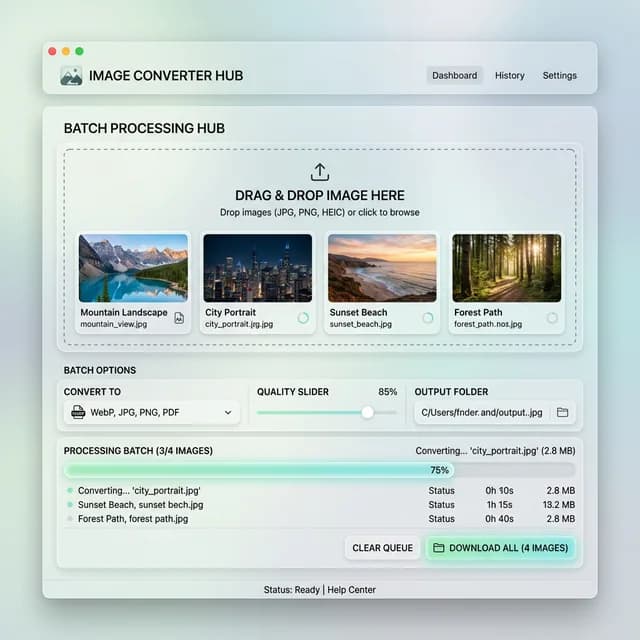
Key Advantages of Modern Image Formats
WebP & AVIF Support
Modern formats are typically much smaller than JPG and PNG at similar visual quality.
Batch Processing
Convert dozens of files simultaneously with one click. Efficiency matters.
Privacy First
Files are converted in memory and deleted immediately. Nothing is saved on our servers.
PDF Creation
Turn PNG images into PDF documents in a couple of clicks.
Best Practices for Web Optimization
When using the Image Converter Hub, we recommend converting to WebP for best-in-class web performance. Ensure your file names are descriptive for better accessibility and indexing. After optimizing your visuals, use our Sitemap Generator to re-index your media-rich pages.
Don't forget to balance your visual assets with high-quality copy. Use our AI Content Writer to generate engaging descriptions and ensure your keyword density is perfect using the Word Counter.
Frequently Asked Questions
Which image formats can I convert?
You can convert JPG, PNG, WebP, AVIF, HEIC, HEIF and SVG images, and turn PNG images into PDF files.
Is the Image Converter free?
Yes. Converting images is free with no sign-up and no watermark.
Are my images stored?
No. Your files are uploaded securely, converted in memory and returned to you. Nothing is saved on our servers.
What is the maximum file size?
Each image can be up to 10MB.
Can I convert several images at once?
Yes. Select or drop multiple files and convert them in one go. When you download more than 10 files, they are bundled into a ZIP.
Which format is best for websites?
WebP is a great default: it is widely supported and usually much smaller than JPG or PNG. AVIF can be even smaller where supported.
You might also like
Favicon Generator
Generate multi-size favicons and PWA icons instantly from any image file.
AI Content Writer
Generate SEO-optimized articles, blog posts, and more using advanced artificial intelligence.
Word Counter
Accurately count words, characters, sentences, and paragraphs in real-time.
Age Calculator
Find out exactly how many years, months, and days you have lived since birth.
One place for all your everyday web tools
Writing, SEO, images and code: 18+ free tools that work in your browser. No installs, no clutter.