WebP to PNG Converter
Convert next-gen WebP images back to standard PNG format for better compatibility with editing tools.
Convert WEBP images to PNG format with transparency support
- Batch conversion
- Files are never stored
- Free, no sign-up
How to convert WEBP to PNG in 4 steps
Our free online Image Converter gets the job done in seconds, with no software to install.
- Step 1
Upload your WEBP file(s)
Click “Choose Files” or drag your WEBP images into the dotted area.
- Step 2
Click “Start conversion”
Once your files are added, start the conversion to PNG, or convert each file individually.
- Step 3
Download the files
Download each PNG file, or use “Download all” to save them together.
- Step 4
Use your new images
Upload them to your website, share them, or convert them again into another format.
Why WebP to PNG?
WebP is a modern image format designed for the web, but many older image editors still don't support it natively.
PNG is the go-to format for lossless editing and works with almost every piece of software.
Our converter maintains the transparency and detail of your original WebP file during the conversion process.
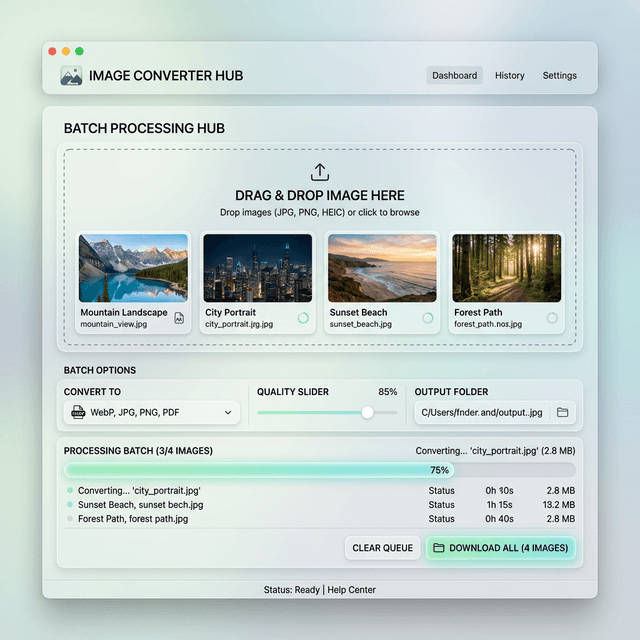
Best WEBP to PNG Converter
Fast & easy WEBP to PNG
Convert WEBP to PNG in seconds without installing any software or plugins.
Batch conversion
Upload several WEBP files at once and convert them all with a single click.
Quality control
Adjust the output quality to balance file size and image detail for JPG and WebP.
Private by design
Files are converted in memory and never saved on our servers.
Batch Convert WEBP to PNG Images
Working with many files can be challenging. With our converter you can add multiple WEBP images in one go, convert them together, and download the results individually or all at once. When you download more than 10 files, they are bundled into a single ZIP.
Need a different output? Use the Convert and To pickers above to switch formats instantly, or browse every option in the Image Converter Hub.
Many Image Conversion Options
Convert between JPG, PNG, WebP, AVIF, HEIC, HEIF and SVG, or turn PNG images into PDF documents. After converting, check your pages with the SEO Audit to make sure your new, lighter images are helping performance.
At a glance
- JPG, PNG, WebP, AVIF
- HEIC, HEIF, SVG & PDF
Frequently Asked Questions
How do I convert WEBP to PNG?
Upload your WEBP files, make sure PNG is selected in the “To” picker, then click “Start conversion” and download your PNG images.
Is the WEBP to PNG converter free?
Yes. It is completely free, with no sign-up and no watermark.
Can I batch convert multiple WEBP files?
Yes. You can upload and convert several files at once, and download them together. More than 10 files are bundled into a ZIP.
Is my data safe when using this converter?
Yes. Files are sent over a secure connection, converted in memory and returned to you. Nothing is stored on our servers.
What is the maximum file size supported?
Each image can be up to 10MB.
Will converting WEBP to PNG reduce quality?
Lossless outputs such as PNG keep every pixel. For JPG and WebP you can choose the quality level to balance file size and detail.
You might also like
Favicon Generator
Generate multi-size favicons and PWA icons instantly from any image file.
AI Content Writer
Generate SEO-optimized articles, blog posts, and more using advanced artificial intelligence.
Word Counter
Accurately count words, characters, sentences, and paragraphs in real-time.
Age Calculator
Find out exactly how many years, months, and days you have lived since birth.
One place for all your everyday web tools
Writing, SEO, images and code: 18+ free tools that work in your browser. No installs, no clutter.