Speech to Text
Convert your speech to text in real-time with high accuracy. Professional-grade voice recognition for English and Hindi.
Speech Recognition Not Supported
Your browser doesn't support speech recognition. Please use a modern browser like Chrome, Edge, or Safari.
For the best experience, please use:
- • Google Chrome (recommended)
- • Microsoft Edge
- • Safari (on macOS/iOS)
- Real-time transcription
- We never store your transcripts
- Free, no sign-up
How to use the Speech to Text in 4 steps
Our free online Speech to Text gets the job done in seconds, with no software to install.
- Step 1
Allow microphone access
Give your browser permission to use the microphone when prompted.
- Step 2
Pick your language
Choose the language you will speak so recognition is accurate.
- Step 3
Start speaking
Press start and talk naturally. Your words appear as text in real time.
- Step 4
Copy or download
Edit the transcript if needed, then copy or download it.
Other tools:
AI-Powered Real-Time Transcription and Voice Recognition
The Speech to Text Tool leverages advanced browser-native recognition to provide instant transcriptions. Perfect for journalists, students, and professionals who need to convert oral notes into digital text without manual typing.
Once your transcription is complete, use our Word Counter to analyze the layout and density of your dictated content.
For developers looking to integrate these transcriptions into production code, ensure your data is clean with the JSON Formatter or minify your application logic using our JS Minifier.
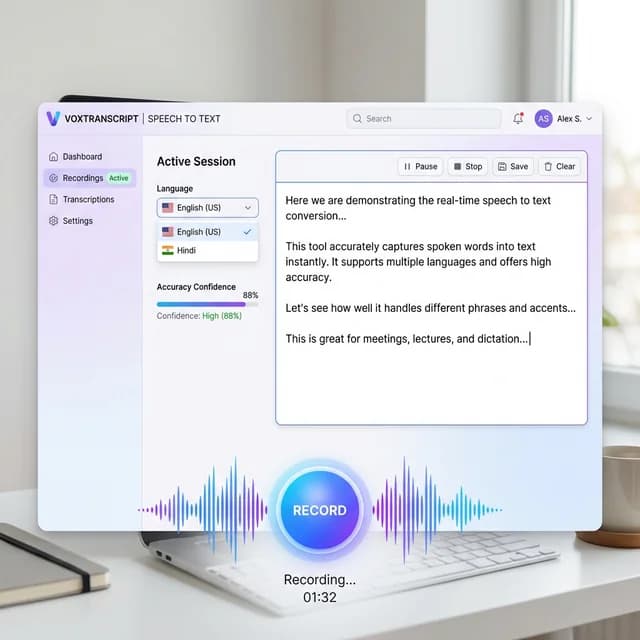
Advanced Recognition Features
Real-Time Processing
Low-latency recognition shows your words on screen as you speak.
English and Hindi
Dictate in English or Hindi with dialect-aware recognition.
Copy to Clipboard
Move your transcript into any app with a single click.
Download as .txt
Save a searchable plain-text file of your transcript.
Enhance Your Digital Content
Voice-to-text technology is just the beginning. To ensure your digital presence is fully optimized, use our SEO Checker to audit your content signals.
Don't forget to optimize your visual media with the Image Converter and generate structured data for your content with the FAQ Schema Generator.
Frequently Asked Questions
Which languages are supported?
You can dictate in English and Hindi. Choose your language before you start speaking for the best accuracy.
Which browsers work best?
Speech recognition works best in Google Chrome and Microsoft Edge on desktop and Android. Some browsers, including Firefox, do not support it.
Why can’t the tool hear me?
Make sure you allowed microphone access when prompted, that the right microphone is selected in your system settings, and that the page is loaded over HTTPS.
Is my voice recorded or stored?
We do not record or store your audio or transcripts. Recognition is handled by your browser’s built-in speech service; in Chrome that service is provided by Google.
Can I edit the transcript?
Yes. You can edit the text before copying it or downloading it as a .txt file.
Is Speech to Text free?
Yes. It is free to use with no account required.
You might also like
AI Content Writer
Generate SEO-optimized articles, blog posts, and more using advanced artificial intelligence.
Word Counter
Accurately count words, characters, sentences, and paragraphs in real-time.
Age Calculator
Find out exactly how many years, months, and days you have lived since birth.
SEO Audit
A deep-dive technical audit of your domain to find hidden crawling and indexing issues.
One place for all your everyday web tools
Writing, SEO, images and code: 18+ free tools that work in your browser. No installs, no clutter.